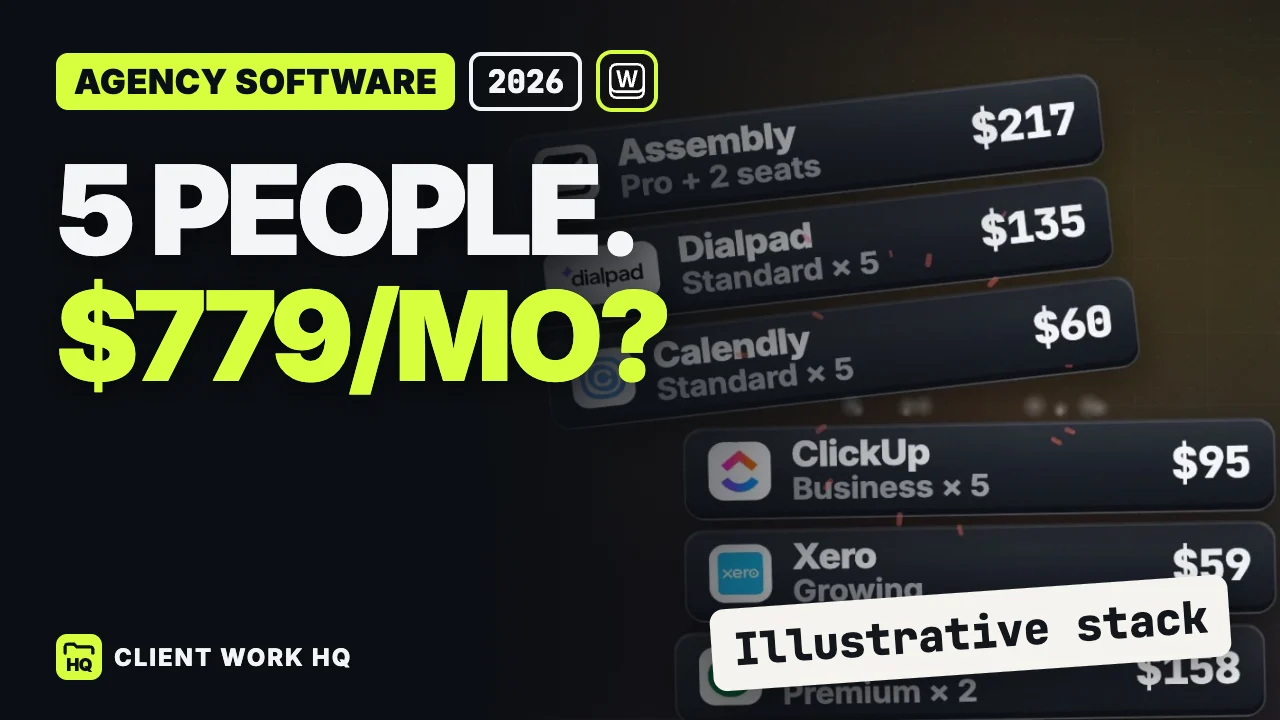
Agency software cost depends on who needs each tool and which plan unlocks the work. In the example below, five people accumulate $779 in monthly subscriptions across seven products. A different configuration, Workspace369 Specialist with Xero retained, totals $208. The useful buying question is which subscriptions your team could actually stop paying for after a successful trial.
This is a calculated example, not a survey of agency spending or a statement that every feature is interchangeable. It uses regular US monthly prices checked September 30, 2026, for an October model. Xero Growing uses the $59 regular rate effective October 1. Taxes, usage charges, email hosting, creative software and advertising platforms sit outside the calculation.
Jump to the subscription table, alternative, or renewal audit.
How the seven-tool stack reaches $779
Assume an owner and account lead need the sales system. All five people need the delivery, time, scheduling and communication tools selected for this example. The portal plan includes three internal users, so two more must be added.
| Subscription | Monthly calculation | Total |
|---|---|---|
| Pipedrive Premium | 2 selling seats × $79 | $158 |
| Xero Growing | Retained accounting subscription | $59 |
| ClickUp Business | 5 people × $19 | $95 |
| Harvest Teams | 5 people × $11 base subscription | $55 |
| Calendly Standard | 5 hosts × $12 | $60 |
| Dialpad Connect Standard | 5 seats × $27 | $135 |
| Assembly Professional | $139, plus 2 internal users × $39 | $217 |
| Illustrative monthly total | 158 + 59 + 95 + 55 + 60 + 135 + 217 | $779 |
At those unchanged monthly rates, twelve months total $9,348. That is a calculation from the table, rather than an annual-billing quote. Each linked vendor page is the primary source for its row; confirm the currency, billing toggle and regular price when building your own version.
The seat assumption is deliberately specific. Giving all five people Pipedrive Premium would cost $395 monthly in this model, rather than $158 for two. Equally, buying scheduling seats for people who never host client meetings may overstate the requirement. Start with roles, then count people.
What the $208 alternative actually includes
Workspace369 Specialist is $149 monthly with ten included seats. Keeping Xero Growing at $59 produces a $208 monthly subscription example and a calculated difference of $571 against the table. Xero remains in both configurations, so the comparison does not depend on replacing the existing accounting setup. Workspace369 plans, Xero US plans
The plan distinction matters. Workspace369 Voyager starts at $74 with two seats; three additional seats at $10 each make a five-person team $104 monthly. Voyager covers Requests, texting and time tracking. Specialist adds the relevant public booking, calling, basic accounting, webhook and API-integration capabilities; full accounting belongs to Commander at $299. Workspace369 plan comparison
The $208 figure is therefore a candidate configuration to test. It is not the right budget for every agency. Someone must verify the sales process, meeting rules, calling requirements, client experience and delivery handoff before any subscription is retired.
Which specialist tools could still earn their place?
| Existing requirement | Reason to keep evaluating the specialist | Decision to make |
|---|---|---|
| A dedicated sales team | Pipedrive is organized around sales pipelines and follow-up | Can the team run its actual stages and handoff in the proposed configuration? |
| Established project planning | ClickUp Business already contains time tracking | Does a second timer serve a distinct, necessary purpose? |
| A deliberate client portal experience | Assembly offers a dedicated client-facing workspace | Which client interactions must remain unchanged? |
| Current accounting procedures | Xero is already retained in the example | Who confirms that invoicing and bookkeeping responsibilities remain clear? |
These are reasons to inspect the workflow, rather than assume duplication from an app name. Pipedrive describes its sales capabilities on its pricing page, ClickUp lists time tracking in its plan comparison, and Assembly details its client-workspace plans on its pricing page.
Our web design agency CRM guide applies this distinction to sales, delivery and engineering. The photography CRM comparison applies it to booking and production.
Run a renewal audit before changing the stack
Create one row per subscription, with its renewal date, billing commitment, active seats, required feature and owner. Then use this checklist on one representative project:
- Trace the sale. Find the agreed scope and identify who takes responsibility after approval.
- Trace delivery. Assign a real task, record its completion and check what the client can see.
- Trace an hour. Start with agreed billable work, then follow the time entry to its invoice.
- Trace a meeting. Test the service, available time, confirmation and calendar result your team needs.
- Trace the conversation. Check which teammate can respond and where the agreed next step is recorded.
- Make a retirement decision. Name the subscription that becomes unnecessary, the person approving that conclusion and the date it can end.
Keep active commitments visible during the trial. A tool is not redundant because another product has a similarly named feature. It becomes a retirement candidate when the team can complete its required work, understand the result and maintain the process afterward.
Frequently asked questions
Is $779 a typical agency software bill?
No. It is an illustrative total for the stated products, plans and seat counts. A team with different sales access, meeting hosts or billing commitments will get another result. Replace every row with your own renewal information before using the model to make a purchasing decision.
Does moving to the $208 configuration save $571 immediately?
The subtraction is $571 monthly, but it represents a subscription difference. Actual savings depend on which existing subscriptions you can retire and when their commitments end. Keep overlapping costs in the transition budget, and retain tools whose necessary work has not passed your trial.
Should I compare monthly and annual prices together?
Use separate columns. Compare monthly plans with monthly plans first, then calculate a second scenario for annual commitments. State both the total commitment and any monthly equivalent. Mixing an annual promotional rate for one vendor with a regular monthly price for another makes the decision harder to assess.