To set up a freelance retainer, pick a type (an hour bank, a fixed monthly scope or a prepaid deposit), price it as the hours you commit times your hourly rate, write down what the hours cover and what counts as extra, and decide what happens to unused hours. Then put it on one invoice that goes out on the same day every month, and agree to review it every three months.
The client, rate and hours below are illustrative, made up to show the method. This is general information, not legal or tax advice. Workspace369 features and prices checked October 16, 2026 on its pricing page, billed monthly unless noted.
Jump to types, pricing, the scope, unused hours, what to say or the mistakes.
What is a freelance retainer?
A client who pays the same amount every month for a set amount of your time. You get predictable income; they get a place in your calendar and someone who already knows their business. It works as long as the terms are clear from day one.
When to offer one
Right after a project ends, when the client keeps coming back with small requests. That pattern is the signal: they need you regularly, and paying request by request is slow for both of you.
Three types of retainer
| Type | How it works | Best for |
|---|---|---|
| Hour bank | A set number of hours each month; extra hours billed on top | Ongoing ad hoc work: updates, fixes, advice |
| Fixed monthly scope | A set list of deliverables for a set price; no hours to count | Repeatable work: 4 posts, 1 report a month |
| Prepaid deposit | Money paid up front, drawn down against invoices as you work | Clients who prefer to fund a balance |
Not sure? Start with an hour bank. It is the easiest to explain and the easiest to price.
How much should a retainer cost?
Use a formula, not a guess: hours you commit each month × your hourly rate.
| Hours a month | Rate | Monthly retainer |
|---|---|---|
| 10 | $170 | $1,700 |
| 20 | $170 | $3,400 |
| 30 | $170 | $5,100 |
- Be honest about the hours. Twenty hours a month means twenty hours you can really protect in your calendar.
- Discounts are a choice, not a default. Some freelancers take a little off for a three-month commitment. If you do, decide it before you quote, and show it as its own line.
- Not sure about your rate? Work it out first with how to price your services.
What the retainer scope should say
Write down four things before the first invoice:
- What the hours cover. “Website updates, small design changes and email support,” not “anything you need.”
- How fast you reply. For example, within one working day.
- What counts as extra. New projects, rush work outside your hours, anything not on the list.
- The rate for extra hours. Billed on the next invoice, so nobody argues about a Friday emergency.
Work that goes beyond the retainer is a change: price it before you start (how to charge for extra work).
What happens to unused hours?
This is where most retainers get awkward, so decide it up front and say it in your first message. Two common rules:
- Unused hours expire at the end of each month. Simple, and the client pays for your reserved time, not only the hours used.
- Unused hours roll over once, up to a small cap, such as five hours. Rolled-in hours are used first, and anything left after that month expires.
If you offer rollover, keep the cap small, so you are never sitting on a pile of owed hours.
How to offer a retainer
Keep it short and concrete:
“Instead of paying for each small request, you can reserve 20 hours a month for $3,400, billed on the 1st. Extra hours are $170 each on the next invoice, and up to 5 unused hours roll over to the next month. Want me to set it up?”
Three mistakes to avoid
- No review date. Agree to look at the retainer together every three months and adjust the hours.
- A vague scope. If the hours can mean anything, the client will use them for everything.
- Hiding the unused-hours rule. Put it in your first message, and let every invoice repeat it.
Setting up a retainer in Workspace369
Here is how a retainer works in Workspace369:
- Create it once. Open Retainers, choose New retainer, pick the type and the client, and set it to bill every month on the 1st. Enter the hours per cycle and the price, then choose what happens to extra hours and to unused ones: they expire at the end of the cycle by default, or roll over once up to a cap you set.
- Billing. Choose autopay or a pay link and send automatically. Nothing is charged until the client pays the first invoice and agrees to the terms. Autopay needs Stripe connected.
- What the client sees. A normal invoice with a Retainer terms card next to the pay box: hours included, price, extra hours, the unused-hours rule and where to check their balance. To turn on autopay they tick one box next to Pay; it is never ticked for them.
- Their balance. In the client portal, the client sees the hours left this month, the work you logged and when the hours reset.
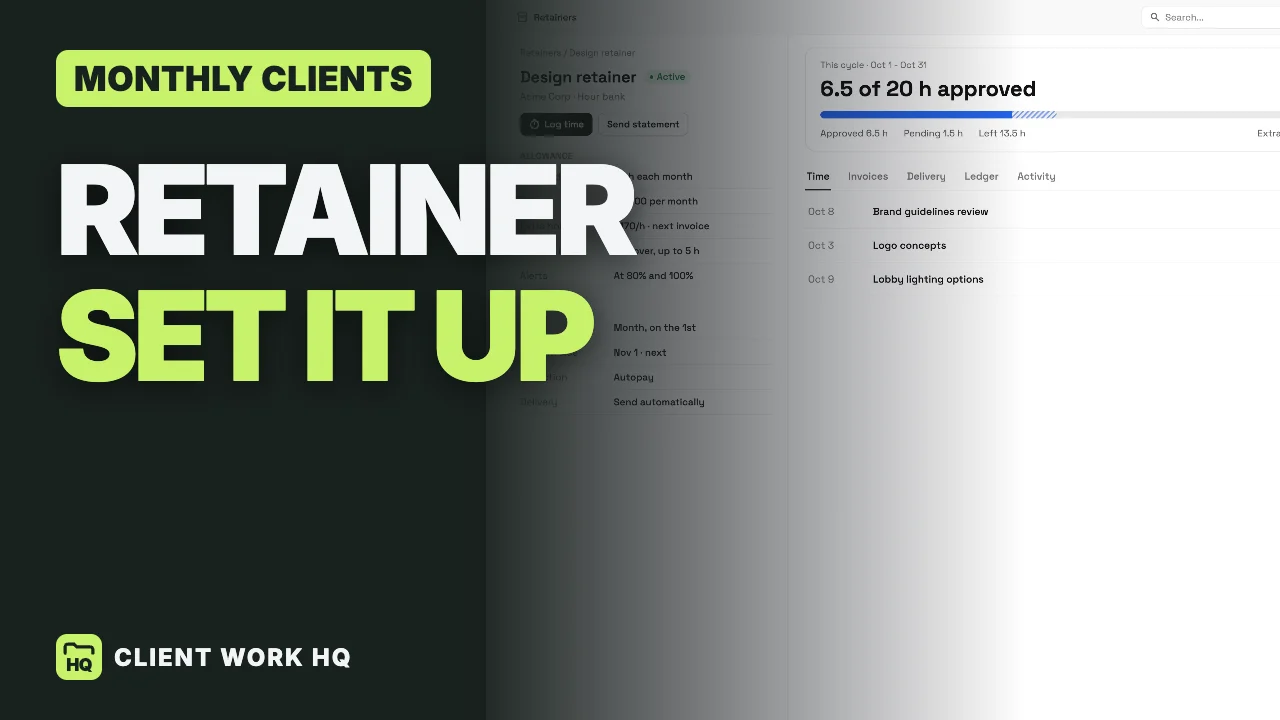
- Your side. Log time against the retainer; hours count once you approve them. The cycle card shows approved hours, pending hours and what is left, and hours over the bank are billed on the next invoice.
- Your brand. Your theme, accent color and logo carry onto the invoice and the portal.
Retainers, recurring invoices, time tracking and the client portal are on every plan, from Cadet at $29 a month for 1 seat ($23.25 billed yearly). The 14-day trial covers Cadet through Commander, card required. Workspace369 pricing
Retainer setup checklist
- The type fits the work: hour bank, fixed scope or prepaid deposit.
- The price is hours × rate, with any discount decided before you quote.
- The scope lists what the hours cover, your reply time and what counts as extra.
- Extra hours have a rate and go on the next invoice.
- The unused-hours rule is written down: expire, or roll over once to a small cap.
- The invoice goes out on the same day each month.
- A review date is set three months out.
To run this on one real client, start the Workspace369 14-day free trial.
Frequently asked questions
What is a retainer for a freelancer?
An agreement where a client pays the same amount every month for a set amount of your time or a set list of work. It turns a one-off client into steady monthly income.
How much should a freelance retainer cost?
Hours you commit each month times your hourly rate. Twenty hours at $170 an hour is $3,400 a month.
What happens to unused retainer hours?
Whatever you agreed up front. The two common rules are that unused hours expire at the end of the month, or roll over once up to a small cap. Write the rule down and repeat it on every invoice.
Hourly or fixed-price retainer: which is better?
An hour bank is easiest to start with and fits unpredictable work. A fixed monthly scope fits repeatable deliverables, because nobody has to count hours.
How often should I review a retainer?
Every three months. Compare the hours used with the hours bought, then adjust the hours, the price or the scope.