The best CRM for Google Workspace depends on what happens after the email. Our pick for client-work businesses is Workspace369, which we make: Gmail and Google Calendar connect, and proposals, projects and invoices live in one place. Copper is the most Google-native sales CRM, Streak runs inside Gmail, and HubSpot and Zoho CRM start free.
Prices and plan limits were checked on each vendor’s own pages on October 5, 2026. The ranking is our editorial judgment from published plans and the Workspace369 product, not a hands-on test of each tool.
Jump to the ranked table, free options, team pricing or the trial checklist.
What should a Google Workspace CRM do?
Google Workspace has no dedicated CRM app, so most small teams improvise one from a client Sheet, Gmail labels and a shared calendar. It works until a follow-up slips or a client thread sits in one person’s inbox.
Judge any CRM on four things: how it handles Gmail, what it does with Google Calendar, how the price grows with your team, and what happens after the client says yes.
The 5 best CRMs for Google Workspace at a glance
| Rank |
CRM |
Best for |
Google Workspace fit |
Entry price, billed monthly |
Free option |
| 1 |
Workspace369 (our pick) |
Client work after the sale |
Gmail connects to client threads; Google Calendar sync |
Cadet $29, 1 seat |
14-day free trial |
| 2 |
Copper |
Google-first sales pipelines |
Gmail, Calendar, Drive, Sheets, Contacts and Gemini |
Basic $29 per seat |
Free trial |
| 3 |
Streak |
Pipelines inside Gmail |
Runs inside the Gmail inbox |
Pro $59 per user |
Free email tools |
| 4 |
HubSpot |
A free start |
HubSpot Sales Chrome extension for Gmail |
Starter $20 per seat |
Free CRM: 2 users, 1,000 contacts |
| 5 |
Zoho CRM |
A free Google integration |
Gmail extension; Calendar, Contacts, Drive and Tasks sync |
Standard $20 per user |
Free for 3 users |
USD list prices checked October 5, 2026 on Workspace369, Copper, Streak, HubSpot and Zoho.
1. Workspace369: our pick for client work on Google Workspace
Our pick is Workspace369, which we make. It suits agencies, consultants and studios that already run on Google Workspace and need the client layer: the record, the conversation, the project and the bill.
Connect Gmail, and client email lands in one client thread. On Voyager the inbox becomes shared, so a teammate can pick up any client thread, and texts join the same thread with an AI summary. Google Calendar syncs both ways on every plan: events assigned to you go to the Google calendar you choose, with updates and cancellations, and the events on the Google calendars you pick show in Workspace369’s calendar, read-only. On Specialist, clients book through self-booking pages, and busy time on your connected Google calendars blocks those slots.
After the call, proposals (with themes, on every plan) are signed through a link, and on Specialist the client pays the deposit on acceptance. Work runs as a project with a task board, clients follow along in a portal, and email workflows chase overdue invoices (up to 3 active on Cadet).
Plan to evaluate: Voyager ($74 a month, 2 seats) for a team sharing client email. Cadet is $29 for one seat and Specialist is $149 for ten. See Workspace369 as a CRM for Google Workspace.
2. Copper: the most Google-native sales CRM
Copper is built most tightly around Google Workspace. It works with Gmail, Google Contacts, Calendar, Drive, Sheets and Gemini; its Chrome extension adds contacts straight from Gmail, and Google Calendar shows customer details beside each meeting. Copper describes itself as a Recommended for Google Workspace app. Copper for Google Workspace
Per seat, Basic is $29, Professional $69 and Business $134 billed monthly, or $23, $59 and $99 per seat per month paid annually. Basic covers 2,500 contacts and includes pipelines and project management; workflow automation, bulk email and integrations start on Professional, which covers 15,000 contacts. Copper pricing
Tradeoff: every seat pays the full plan price, and automation needs Professional, so eight people on Professional list at $552 a month.
3. Streak: a CRM that lives inside Gmail
Streak puts the pipeline beside your inbox: leads, calls, proposals and won deals tracked without leaving Gmail. Its email tools stay free: email and link tracking, snippets, mail merge (50 a day), Streak Share and the thread splitter.
Per user, Pro is $59, Pro+ $89 and Enterprise $159 billed monthly, or $49, $69 and $129 billed annually. Automations, integrations and advanced reports unlock on Pro+, which has a 14-day free trial. Streak pricing
Tradeoff: it has the highest entry price per user in this list, and it fits best when the whole sales process already happens in email.
4. HubSpot: the free start with a Gmail extension
HubSpot’s free CRM covers up to two users and 1,000 contacts, with email tracking, templates, meeting scheduling and sales quotes. The HubSpot Sales Chrome extension puts those tools inside Gmail and is available on all plans, including free. HubSpot free CRM, Gmail extension
Starter lists at $20 per seat per month. On October 5, 2026, HubSpot was also advertising a limited-time discount for new customers. HubSpot Starter
Tradeoff: the free plan caps users and contacts, and paid tools grow by seat and by product. Our HubSpot alternatives guide covers when teams move on.
5. Zoho CRM: a free Google Workspace integration
Zoho says its Google Workspace integration is free on every edition. It connects Gmail, Google Calendar (which Zoho describes as two-way sync), Contacts, Drive, Tasks and Sites. The Gmail Chrome extension creates leads and contacts, logs calls, adds events and converts leads from the inbox. Zoho CRM for Google Workspace
Zoho CRM is free for up to three users. Per user, Standard is $20 and Professional $35 billed monthly, or $14 and $23 billed annually. Zoho CRM pricing
Tradeoff: it is a sales-first CRM, and invoices and quotes sit in inventory management, which starts on Professional.
How much does a Google Workspace CRM cost for a team?
Per-seat pricing changes the ranking as the team grows. Here are entry paid plans, billed monthly:
| Team size |
HubSpot Starter |
Zoho Standard |
Copper Basic |
Streak Pro |
Workspace369 |
| 2 people |
$40 |
$40 |
$58 |
$118 |
$74 (Voyager) |
| 5 people |
$100 |
$100 |
$145 |
$295 |
$104 (Voyager + 3 seats) |
| 8 people |
$160 |
$160 |
$232 |
$472 |
$134 (Voyager + 6 seats) |
| 10 people |
$200 |
$200 |
$290 |
$590 |
$149 (Specialist, 10 seats) |
Calculated from list prices checked October 5, 2026 on HubSpot, Zoho, Copper, Streak and Workspace369. Extra Workspace369 seats are $10 each from Voyager.
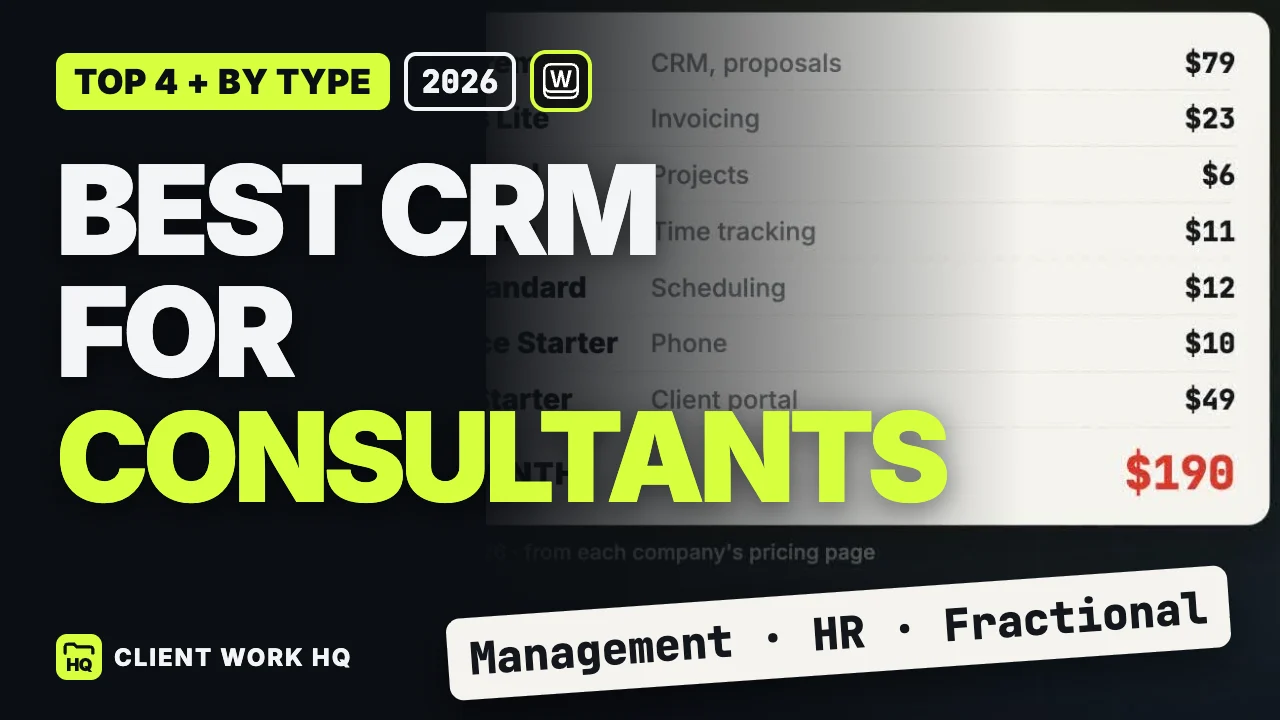
For two people, HubSpot and Zoho are cheaper, and both have free plans that cover a team that size. From six people, Workspace369 is the lowest of these entry plans ($114 against $120 for HubSpot or Zoho). The plans include different features, so add any proposal, project or invoicing tool you would still pay for. Our consultant CRM guide walks through that whole-stack math.
Test a Google Workspace CRM with one real client
- Pick one live client and one real email thread to follow.
- Connect Gmail. Check where the client’s email lands and whether a teammate can see and answer it.
- Connect Google Calendar. Schedule a meeting in the CRM, then move and cancel it, and check what Google Calendar shows. If your team books in Google Calendar first, check what the CRM picks up.
- Add a second teammate and confirm permissions and the new monthly total.
- Import your client Sheet as a CSV and check that the columns mapped correctly.
- Send one real proposal and follow it through to the invoice.
- List the tools you would still keep, then compare the full monthly cost.
When to compare Workspace369
Compare Workspace369 when your Google Workspace setup already handles email and meetings, but proposals, projects and billing live somewhere else. On every plan you get two-way Google Calendar sync, proposals, projects, a client portal, invoices, retainers with auto-invoicing, and email workflows. You can also connect Claude or ChatGPT through MCP.
Voyager adds the shared inbox and texting, time tracking, and Requests (a lead form whose submissions convert to clients). Specialist adds self-booking pages that respect your busy Google time, deposits on proposal acceptance, and calls with AI call summaries. See Workspace369 for Google Workspace teams and current plan prices. Agencies can also read our marketing agency CRM guide.
Frequently asked questions
Does Google Workspace have a CRM?
Google Workspace doesn’t include a dedicated CRM. It gives you Gmail, Calendar, Drive, Sheets and Contacts, so teams either improvise one from a Sheet and labels or connect a CRM such as Workspace369, Copper, Streak, HubSpot or Zoho CRM.
What is the best CRM for Gmail?
For client-work businesses, our pick is Workspace369, which we make: connect Gmail and client email lands in one client thread. If your whole sales process lives in the inbox, Streak runs inside Gmail, starting at $59 per user billed monthly. Copper’s Chrome extension adds contacts from Gmail, from $29 per seat. Prices checked October 5, 2026.
What is the best free CRM for Google Workspace?
HubSpot’s free CRM covers up to two users and 1,000 contacts and includes its Gmail extension. Zoho CRM is free for up to three users, and Zoho says its Google Workspace integration is free on every edition. Free plans cap users or contacts, so check the limit before you build your process on one. HubSpot, Zoho
Which CRM integrates with Google Calendar?
Workspace369, Copper and Zoho CRM each connect to Google Calendar in a different way. Workspace369 syncs both ways on every plan: events assigned to you go to a Google calendar you choose, with updates and cancellations, and your Google events show in Workspace369’s calendar. Copper shows customer details inside Google Calendar, and Zoho describes its Google Calendar sync as two-way. Copper, Zoho
How much does Copper CRM cost?
Copper Basic is $29, Professional $69 and Business $134 per seat per month billed monthly, or $23, $59 and $99 per seat per month paid annually. Workflow automation starts on Professional. Prices checked October 5, 2026. Copper pricing
Is Streak CRM free?
Streak’s email tools are free: email and link tracking, snippets, mail merge up to 50 a day, Streak Share and the thread splitter. The CRM itself starts at Pro, $59 per user billed monthly or $49 billed annually. Streak pricing