Our pick for interior designers and small architecture studios is Workspace369, which we make. It keeps each scope, project, site visit and invoice on one client record. Bonsai suits hourly design consulting, Dubsado a repeatable client process, and Moxie a solo designer on a tight budget. Studios that earn mainly from product procurement should also evaluate Studio Designer.
Prices and plan details were checked on the vendors’ own pricing pages on October 5, 2026, in US dollars. This is an assessment of published plans and features, not a hands-on test, and the ranking is our editorial judgment.
Jump to the price table, the shortlist, scope and billing setups or the trial checklist.
What should a CRM for interior designers handle?
Design software creates the work: drawings, renderings and specifications. A client CRM agrees, organizes and bills the professional service around it. For a small studio, that means:
- Scope. What each proposal covers, room by room or phase by phase.
- Delivery. The project, its tasks and who owns the next one.
- Hours and visits. Site visits and advisory time, recorded while the detail is fresh.
- Billing. Design fees, staged payments and invoices for ongoing support.
The same client may commission a consultation, a room design and ongoing site support. Treat those as separate commitments, even inside one relationship.
Procurement is its own requirement. If your studio specifies furniture, places orders and earns on product, test that process with a sample order in every trial. Design-specific platforms such as Studio Designer list procurement and purchase orders on every plan.
How much does interior design CRM software cost in 2026?
| Option |
Plan to evaluate |
Price (USD) |
Users |
What it adds for studios |
| Workspace369 |
Cadet |
$29/mo, or $278.99/yr billed annually |
1 seat |
Proposals, projects, invoices, payment schedules, retainers, service catalog with cost and gross margin |
| Workspace369 |
Voyager |
$74/mo |
2 seats, then $10 each |
Time tracking to invoice, unlimited projects, Requests, shared inbox and SMS |
| Workspace369 |
Specialist |
$149/mo |
10 seats |
Deposits on proposal acceptance, basic accounting, client self-booking |
| Bonsai |
Essentials |
$25 per user/mo, or $19 per user/mo billed yearly |
Priced per user |
Invoices, proposals, client portal, expense tracking |
| Bonsai |
Elite |
$59 per user/mo, or $49 per user/mo billed yearly |
3-user minimum |
Markup on expenses, timesheet locking, custom permissions |
| Dubsado |
Premier |
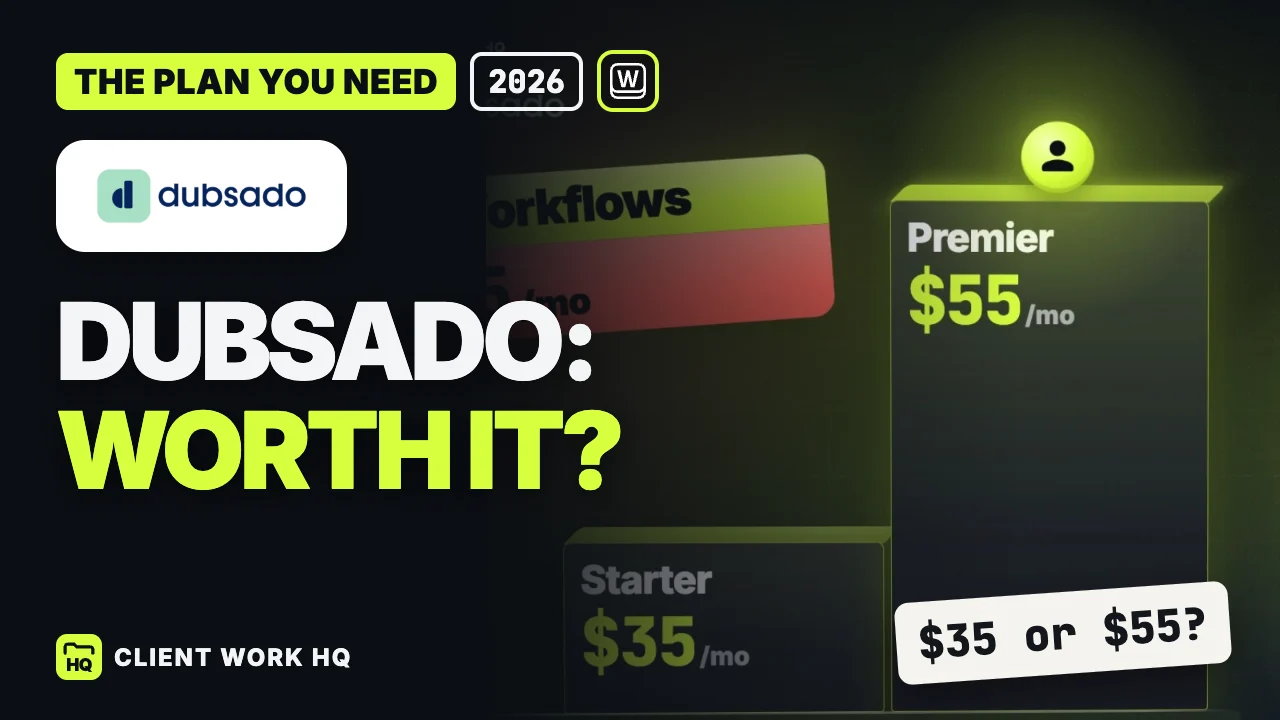
$55/mo, or $525/yr |
3 additional users included |
Scheduling, automated workflows, public proposals |
| Moxie |
Starter / Pro / Teams |
$12 / $25 / $40 per month; $120 / $240 / $385 a year |
Teams: up to 5 members |
Time tracking from Starter; client portal and workflow automations from Pro |
| Studio Designer |
Essentials |
$79 per user/mo, or $69 per user/mo billed yearly |
Priced per user |
Procurement, general ledger accounting, client portal and time billing |
Sources, checked October 5, 2026: Workspace369 pricing, Bonsai pricing, Dubsado pricing and its plan reference, Moxie pricing and Studio Designer pricing.
Price the team you have. For three people billed monthly, Workspace369 Voyager is $84 (two seats plus one at $10), Bonsai Essentials $75, Moxie Teams $40, Dubsado Premier $55 with its included users, and Studio Designer Essentials $237. Moxie and Dubsado are the cheaper subscriptions for a three-person studio.
The best CRM for interior designers and architects
1. Workspace369: our pick for scope, projects and billing
Workspace369 fits studios that sell design fees, project phases and ongoing site support, and want proposals, project tasks, hours and invoices connected. Every plan includes proposals that clients sign through a link, projects, a client portal, invoices, payment schedules, retainers with auto-invoice and a service catalog that calculates gross margin from the price and delivery cost you enter.
Voyager ($74, two seats) adds unlimited projects and time tracking: start a timer for a site visit, stop it, choose the entries and add them to an invoice. Specialist ($149, ten seats) adds deposits paid when a client accepts a proposal, plus basic accounting. Most small studios billing visits by the hour should start with Voyager.
If time tracking is all you need, Moxie Starter includes it for $12 a month, well below Voyager.
2. Bonsai: for hourly design and consulting work
Bonsai publishes industry pages for interior design and architecture. Essentials ($25 per user monthly) covers invoices, proposals, contracts and the client portal. Premium ($39) adds Gantt views, workload management and profit reports. Elite ($59, three-user minimum) adds markup on expenses, which matters if you rebill purchases.
Tradeoff: per-user pricing means expense markup on Elite starts at $177 a month billed monthly. Our Bonsai, Moxie, 17hats and Plutio comparison covers the per-user math.
3. Dubsado: for a repeatable client process
Dubsado fits studios with a defined client journey: inquiry form, consultation booking, proposal, onboarding questionnaire. Scheduling, automated workflows and public proposals are Premier features ($55 monthly or $525 a year), and three additional users are included.
Tradeoff: decide how you will record and bill site-visit hours before committing, and name who maintains the workflows. Our Dubsado review covers the setup effort.
4. Moxie: for a solo designer on a budget
Moxie Starter costs $12 monthly ($10 billed yearly) and includes projects, proposals, invoicing, time tracking and meeting schedulers. Pro ($25) adds a white-labeled client portal, workflow automations and client request management. It is the lowest-cost option here.
Tradeoff: Teams ($40) covers up to five team members, so a growing studio should check the next step before it needs a sixth. Our freelancer CRM guide compares other solo budgets.
If procurement runs your studio: Studio Designer
Studio Designer lists procurement, full general ledger accounting and a client portal with time billing on every plan; products and inventory start on Professional ($89 per user monthly, or $79 billed yearly). Account setup is mandatory for all accounts, and the pricing page does not show its cost. The per-user price makes sense mainly when product ordering is central to your revenue. Studio Designer pricing
How should a design studio handle scope changes, fees and site visits?
When a living room becomes a hallway redesign
The client approved the living room, then asks about the hallway. Make the hallway its own priced scope in a new proposal before promising delivery. The client sees what changed and signs through a link; on Workspace369 Specialist, they can pay a deposit on acceptance.
Design fee versus delivery cost
A design fee can look healthy while carrying more delivery cost than the last project. Enter the price and delivery cost for each service and check the gross margin the catalog calculates. Treat it as one pricing input: overhead, revisions and project-specific time still need your judgment.
Site visits and advisory hours
If a site visit turns into advisory work billed hourly, record it while the detail is fresh. On Voyager, the timer entries go straight onto an invoice. Write a description that explains the service, not just the duration, and use the actual hours to make your next estimate more realistic.
Project tasks for a small architecture studio
A signed proposal does not tell the team which task comes next. Create a project with a budget and a task board, and keep drawings, specifications and document control in your technical systems.
Billing a long project
Use a payment schedule for staged design fees and a retainer with auto-invoice for ongoing site support. An email workflow can follow up on an overdue invoice; Cadet allows three active workflows.
How to test a design studio CRM with one real project
Pick a recent project that changed scope. Workspace369 offers a 14-day free trial on every plan; Dubsado’s trial gives 21 days of Premier.
- Build two services, a design fee and a site visit, with price and delivery cost. Check the margins.
- Send the original-room proposal to yourself and sign through the link.
- Add the extra room as a separate priced proposal, and check that both commitments are visible.
- Create the project with tasks and owners, then move one task to done.
- Record a site visit and put it on an invoice with a clear description.
- Set the billing: a payment schedule for staged fees and an overdue reminder.
- Check the client view in the portal, and place a sample product order if procurement matters to you.
When to compare Workspace369
Compare Workspace369 when your studio sells professional services in phases. The plan gates that matter for design studios:
- Every plan: proposals, projects, client portal, invoices, payment schedules, retainers with auto-invoice, and a service catalog with cost and gross margin.
- Voyager and up: unlimited projects, time tracking from timer to invoice, Requests, and a shared inbox with email and texts in one client thread.
- Specialist and up: deposits paid on proposal acceptance, basic accounting and client self-booking pages.
See Workspace369 for interior design studios and the current plan comparison.
Frequently asked questions
What is the best CRM for interior designers?
Our pick is Workspace369, which we make, for studios that want scope, projects, hours and invoices connected; plans start at $29 a month. Bonsai suits hourly design work, Dubsado a repeatable client process and Moxie a solo budget from $12 a month. Studios centered on product procurement should also evaluate Studio Designer.
What software do interior designers use to run their business?
Most studios combine design software for drawings and renderings with a business tool for clients, proposals, projects and invoices. Some add a procurement platform for product orders and accounting. Choose the business tool by how you sell: design fees, hourly visits, or product markup.
Can I use Zoho CRM for interior design?
You can, as a general-purpose CRM. Zoho’s US pricing data, checked October 5, 2026, lists Standard at $20 per user monthly or $14 per user per month billed yearly. Test whether proposals, project tasks and invoicing are in the edition you would buy before comparing it with a client-work tool. Zoho CRM pricing
How much does a CRM for an interior design business cost?
On October 5, 2026, the options here ranged from Moxie Starter at $12 a month to Studio Designer at $79 per user monthly. Workspace369 starts at $29 for one seat and $74 for two on Voyager, which adds time tracking. Price the whole team, because Bonsai and Studio Designer charge per user.
Does a CRM replace interior design procurement software?
Not necessarily. A client CRM handles the agreement, the project and the invoices; procurement covers product specifications, purchase orders and vendor follow-up. If product ordering drives your revenue, test it with a real order and compare a platform such as Studio Designer.
What is the best CRM for a small architecture studio?
Look for clear scope per phase, a project task board the whole team can follow, and hours that reach an invoice. Workspace369 Voyager covers unlimited projects, time tracking and invoicing for two seats at $74 a month, with extra seats at $10. Keep drawings and document control in your technical tools. Workspace369 pricing